kdovede
Features

What kdovede does

From the tournament format through the schedule and scores from the pitch to the prize-giving. Each feature shown on a real screen from the web or the phone.

1

Preparation

Format, schedule and data in one place before the first whistle.

Tournament format

Groups, knockout, or both

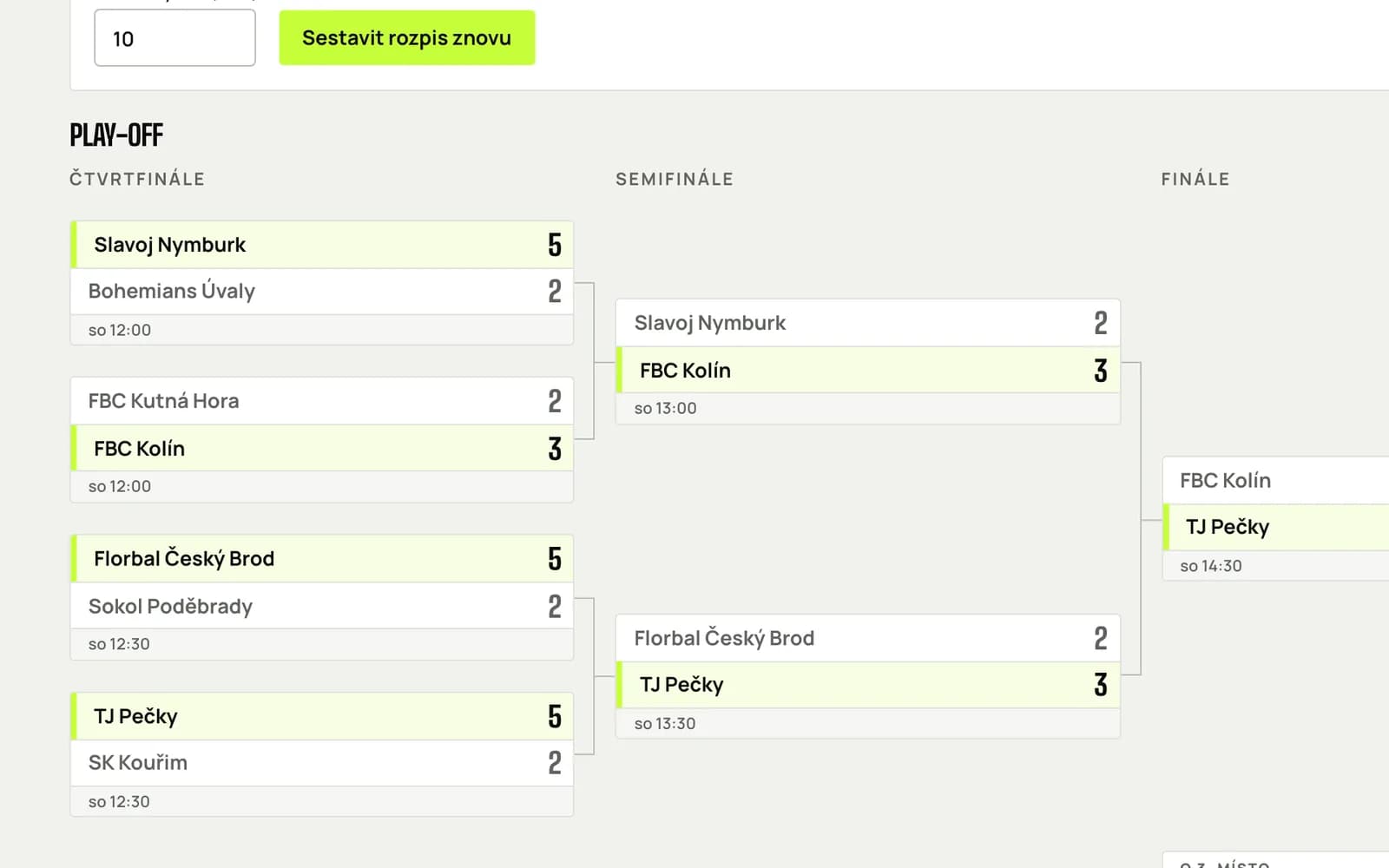
Build the tournament from stages: groups, a knockout bracket, friendlies or placement groups. Decide who advances where and kdovede works out the rest.

  • Advancement from groups to the bracket or to final groups, including carried-over head-to-head results.
  • Football, floorball and other timed sports; volleyball, tennis and other racket sports in sets.
  • Templates for a quick start, a custom structure for special cases.
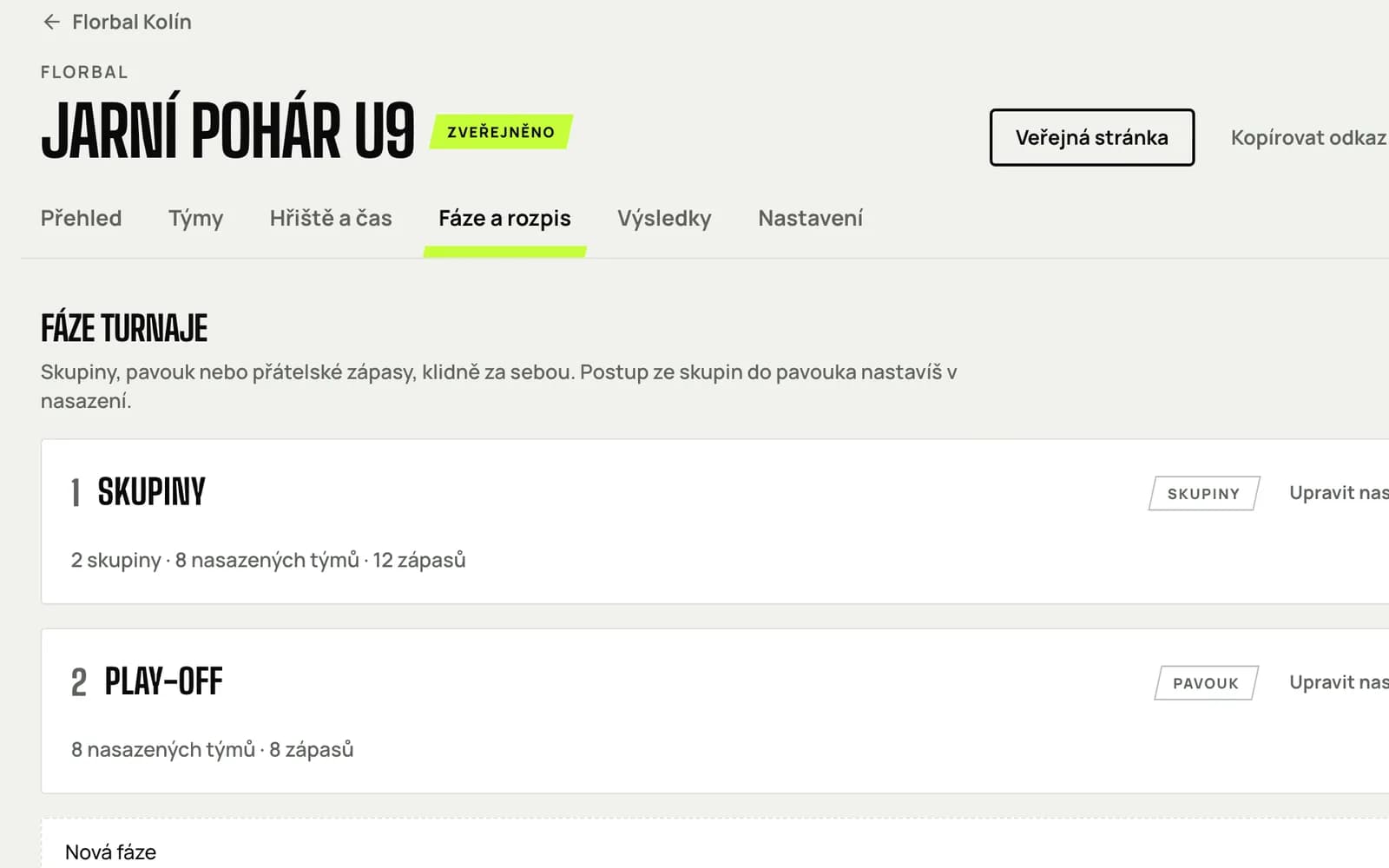
Organiser page Tournament stages with groups and a bracket

Automatic schedule

A schedule without clashes

Enter your pitches and when they are in use. The schedule builds itself, breaks between matches included. Then fine-tune it by dragging and kdovede keeps an eye on clashes.

  • Several courts and days, rest between one team's matches.
  • Drag a match to another time or court, swap two matches.
  • A printable schedule and a QR code linking to the tournament page.
Bracket schedule in the organiser area with draggable match cards

Google Sheets sync

When the team lives in a spreadsheet

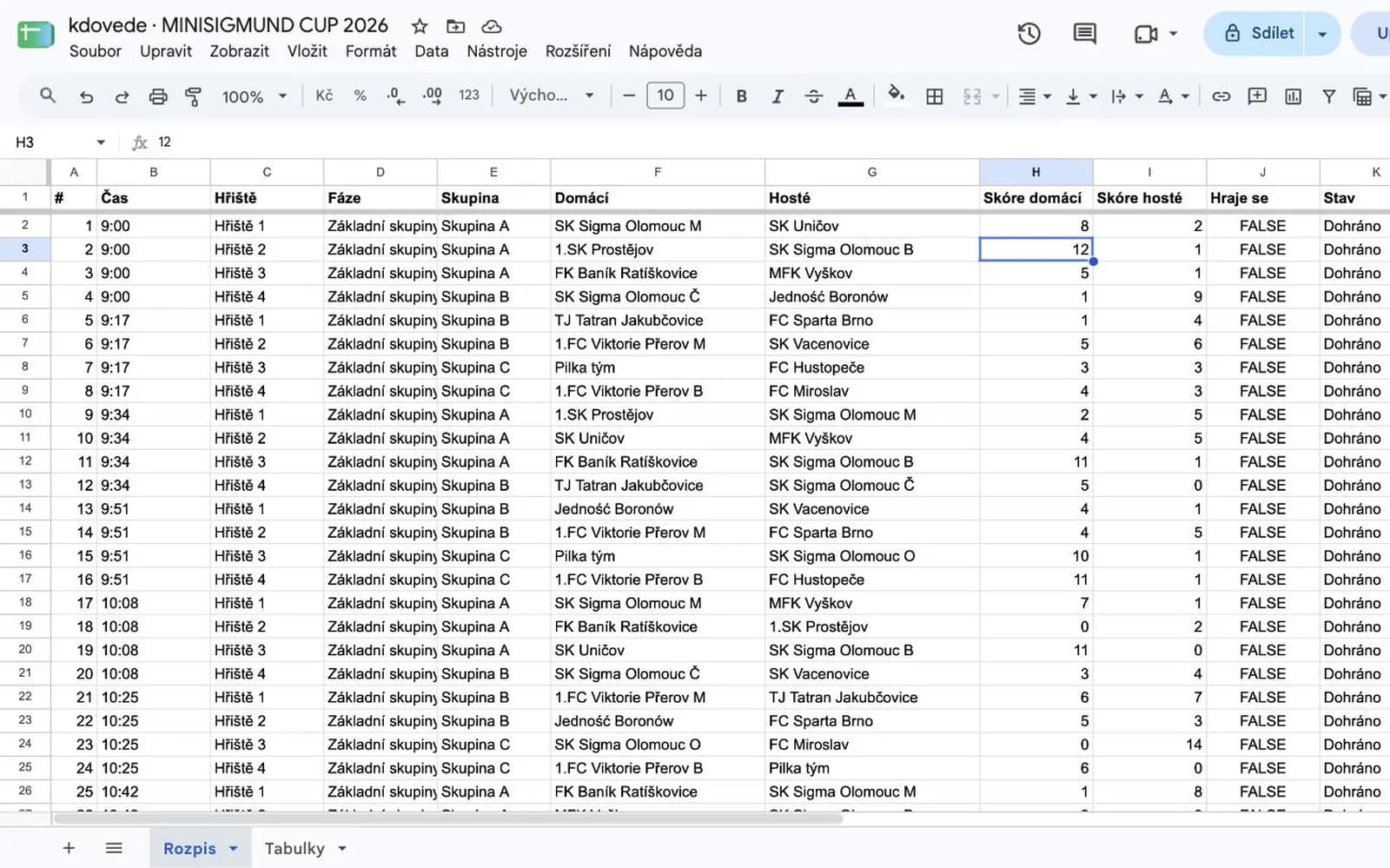
Connect the tournament to a Google Sheet: kdovede creates a spreadsheet in your Drive with the schedule and group standings. Type results into cells and they are on the web within half a minute. It works the other way round too.

  • The Schedule and Standings sheets fill in by themselves; locked columns keep the structure.
  • You only fill in the score and tick that the match is live. kdovede does the rest.
  • Access only to files kdovede creates.
Google Sheet with the tournament schedule and score columns
2

Tournament day

Score from the pitch, standings and bracket everywhere the tournament is open. Then the awards ceremony.

Live results from your phone

Score from the pitch, standings at once

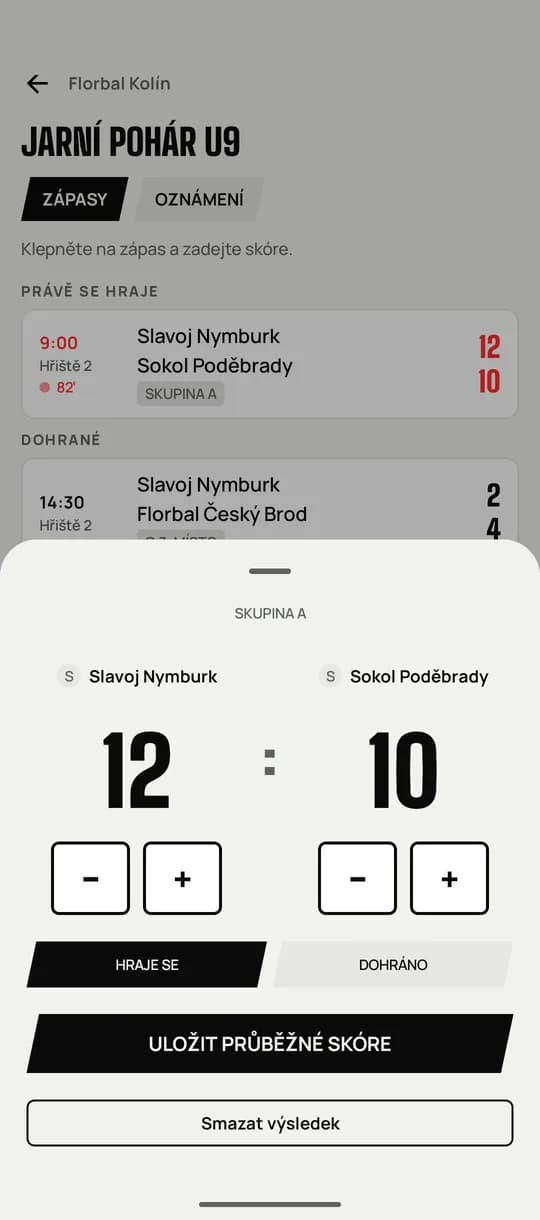
Any of the organisers records the score on a phone with plus and minus. Standings, advancement and the bracket update straight away everywhere the tournament is open.

  • Extra time and shootouts in the bracket, points per set in set-based sports.
  • Several people record scores at once, each at their own pitch.
  • The change reaches the web, phones and the hall screen within a second.
Recording a score in the mobile app with large plus and minus buttons

Standings and bracket

Everyone sees who leads

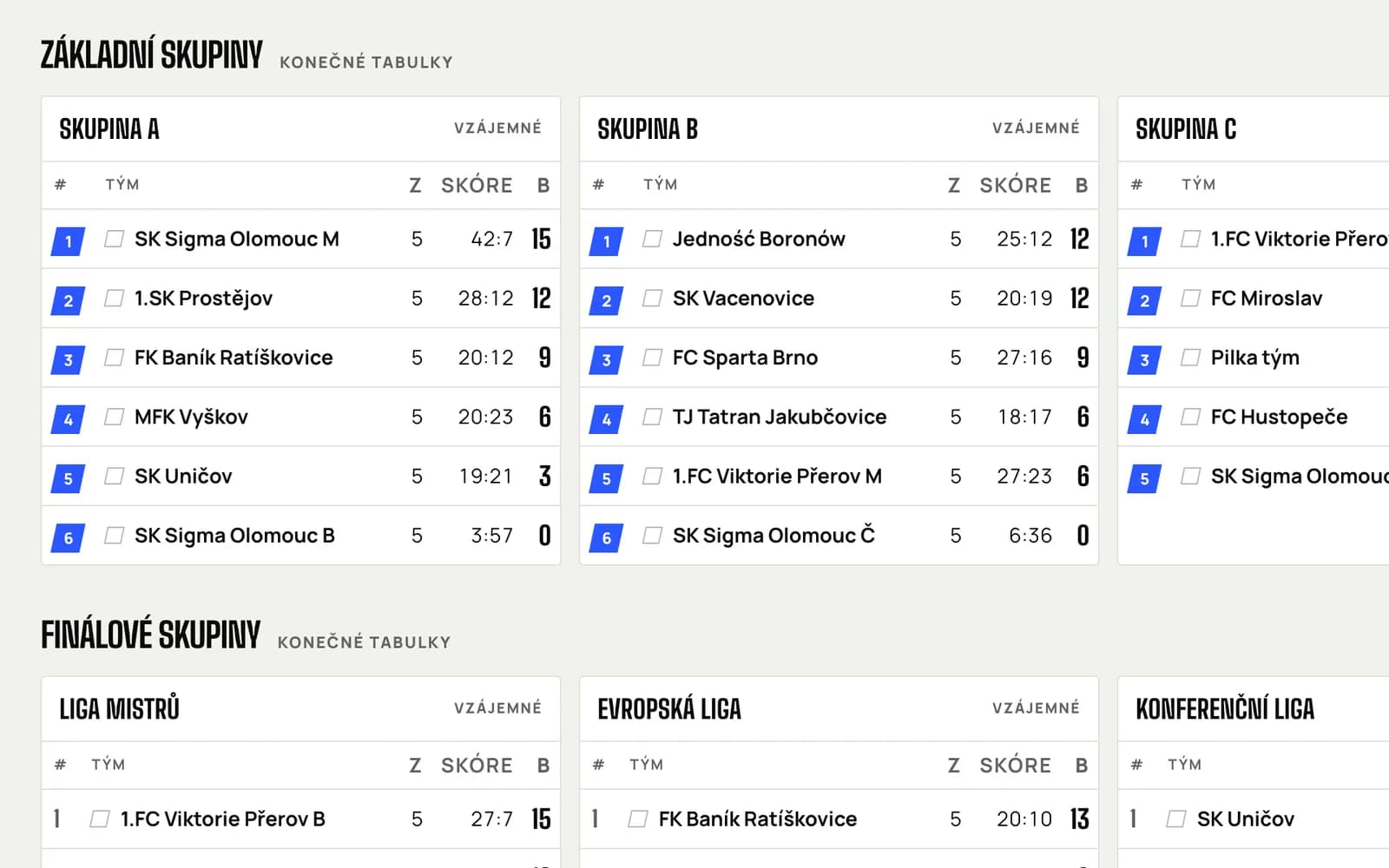
Group standings with advancement places, a head-to-head cross table and a bracket with connectors. A podium after the final.

  • Ranking by points, head-to-head and goal difference; advancement places marked.
  • A cross table one click away in every group.
  • Brackets for 2 to 32 teams, a third-place match, seeding by group rank.
Group standings with team logos on the public tournament page

Awards ceremony

A proper prize-giving

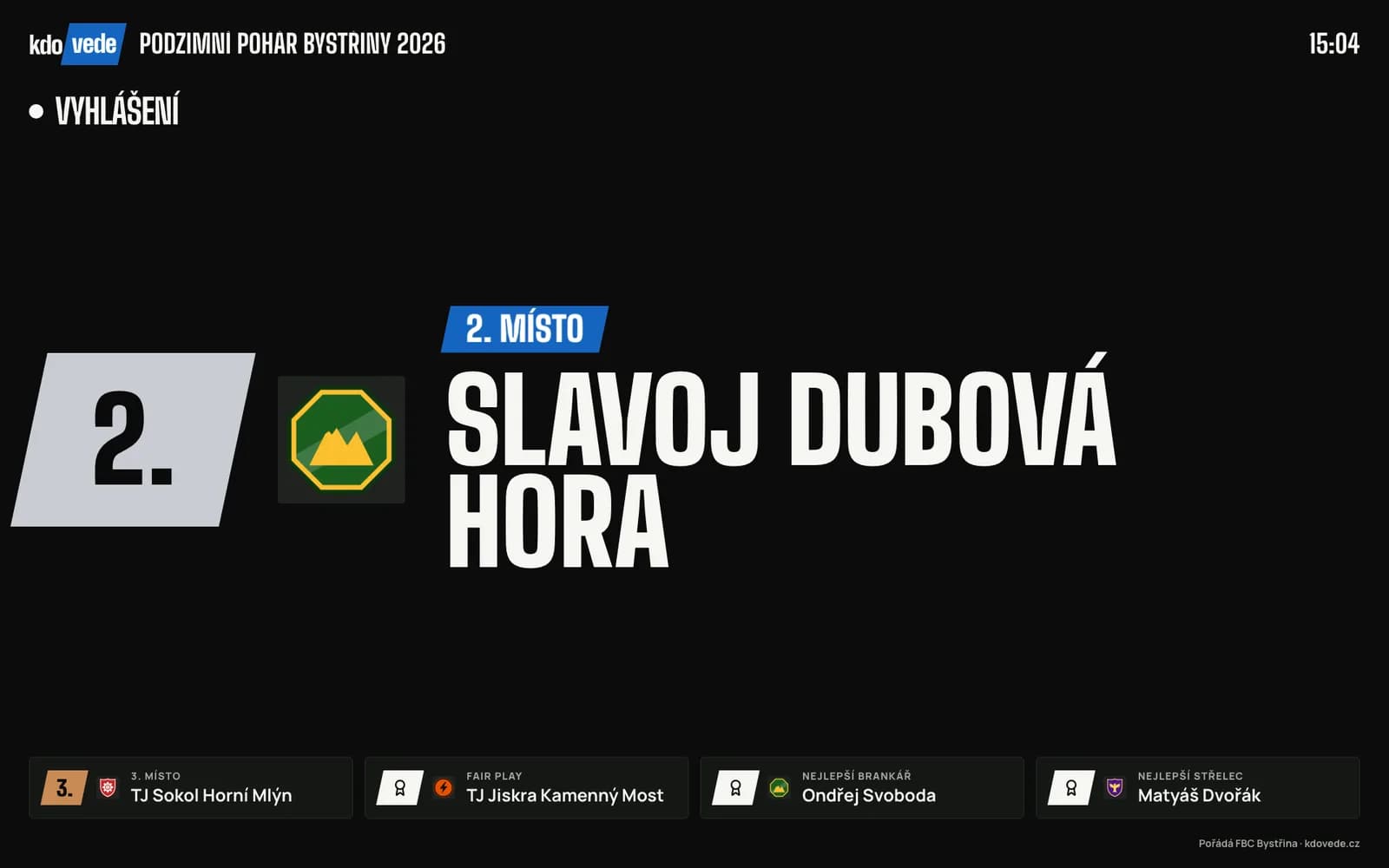
After the final, confirm the final ranking and fill in the awards: best player, top scorer, best goalkeeper, fair play and the best player of each team. Then reveal them one by one from your phone, and the hall screen, the web and the apps show each one at the same moment.

  • The final ranking is worked out from the results; drag to adjust it.
  • Anyone following a team gets a notification: “Your team finished 2nd!”
  • A share image for every place and award, ready for social media.
Hall screen during the awards ceremony: a big card for 2nd place with the team logo, earlier awards and 3rd place below
3

Players and fans

Players, parents and fans see what the organiser sees: on a phone and on the hall screen.

App for players and fans

The tournament in your pocket

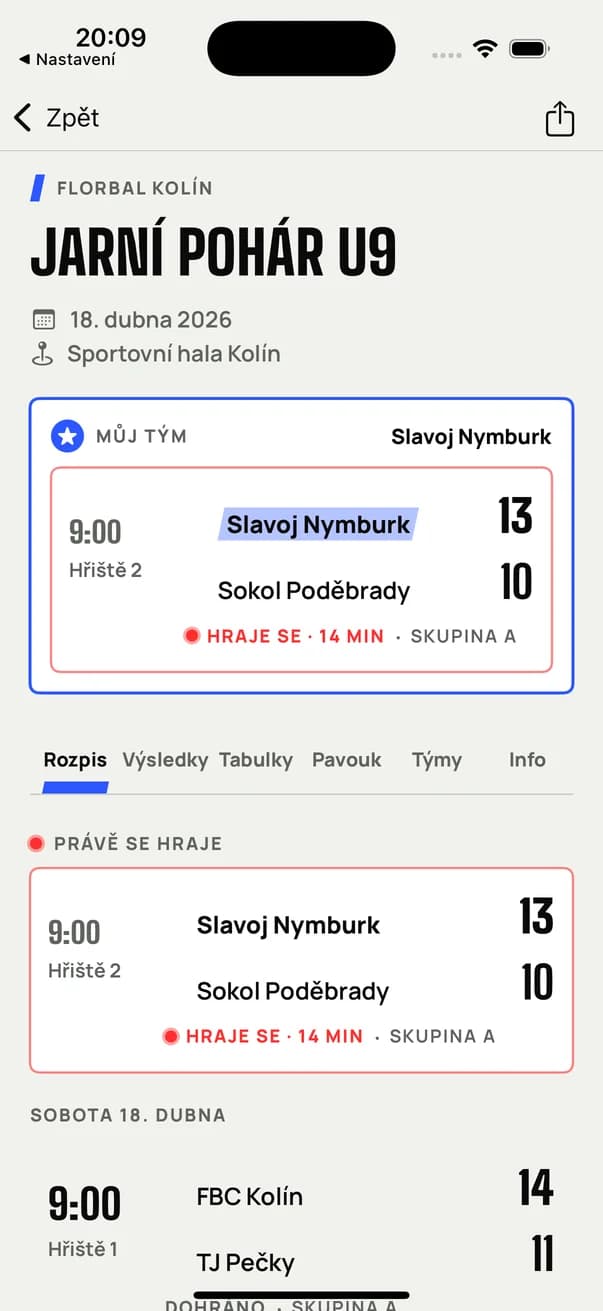
Every tournament has a public page and a QR code. In the mobile app a player or parent picks their team and sees its next match, its place in the table and messages from the organiser.

  • Apps for iPhone and Android, the same design as the web.
  • Followed team: next match on top, highlighted in the schedule and standings.
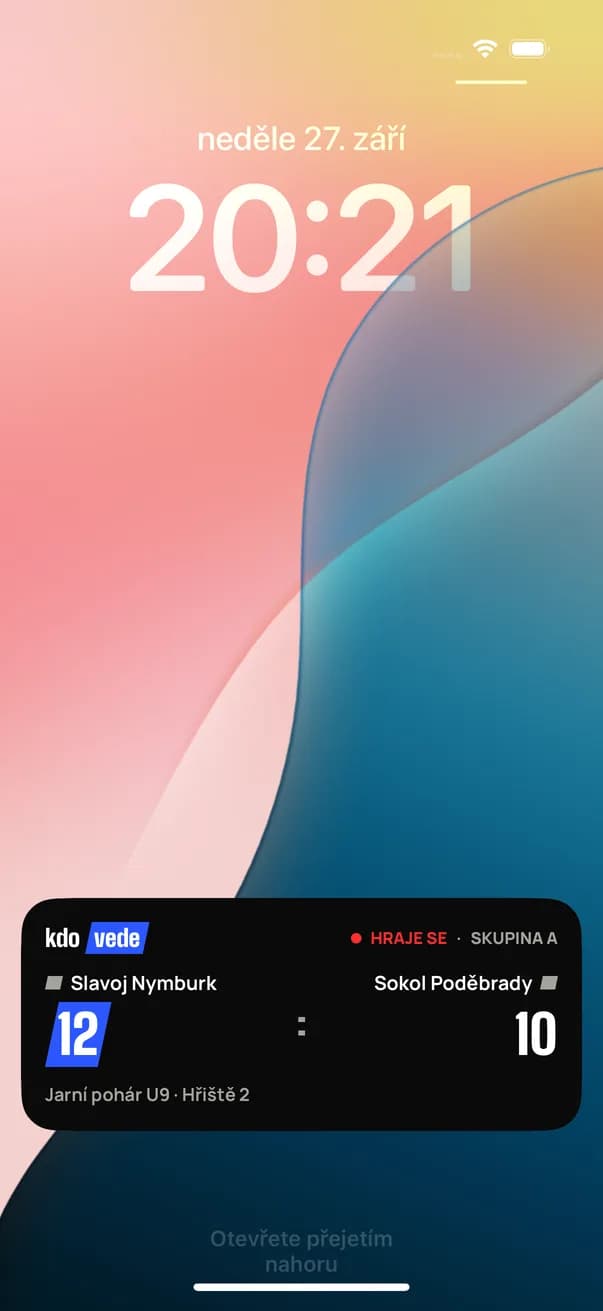
  • Live score of the followed team as a Live Activity in the Dynamic Island and on the iPhone lock screen.
  • Messages from the organiser arrive as notifications: schedule changes, ceremonies, refreshments.
iPhone app with the schedule, a followed team and a live match
iPhone lock screen with a Live Activity: live score of the followed team

Hall screen

The hall knows who leads

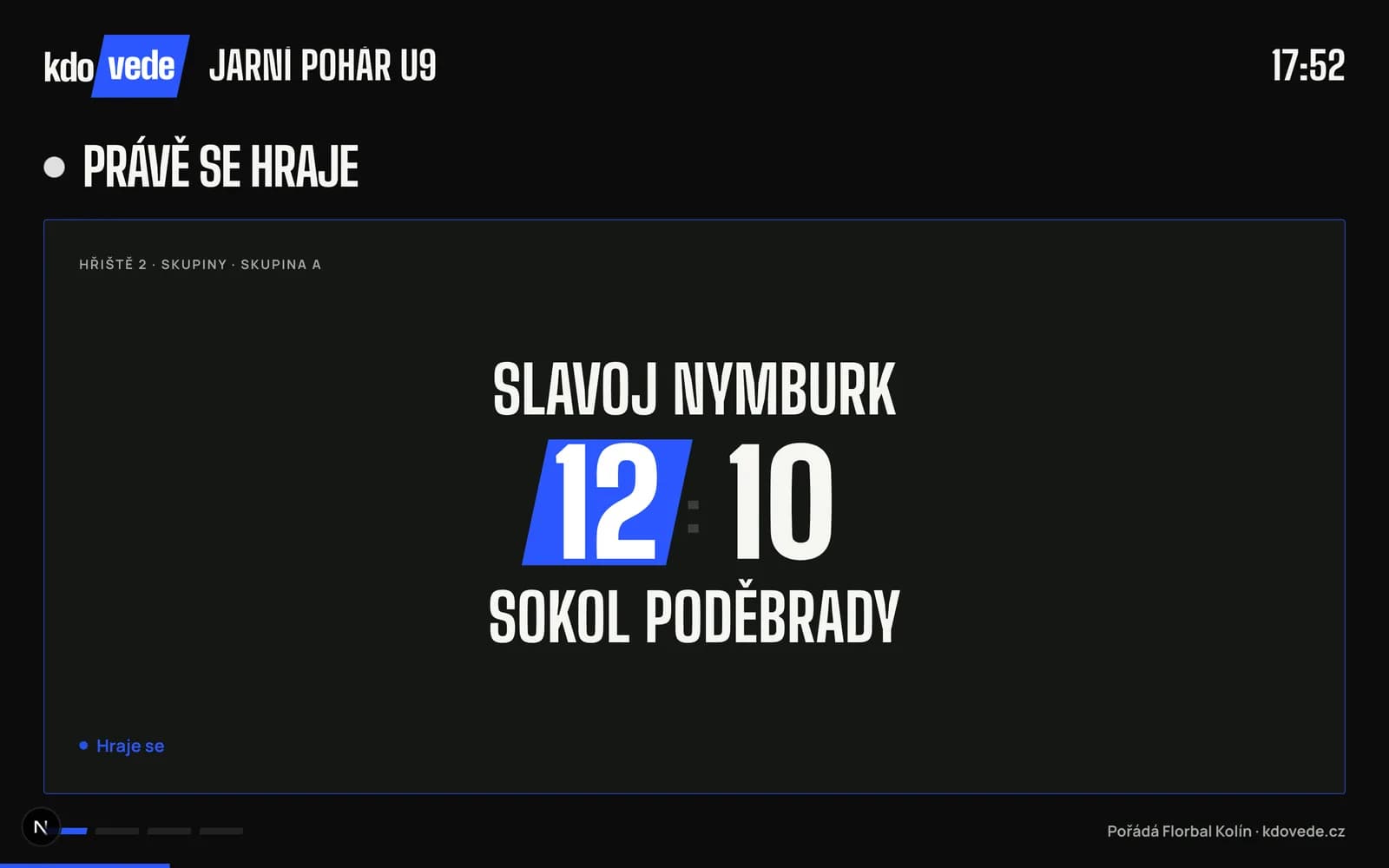
Put the tournament screen on a TV or projector in any browser. Live matches with a big score, upcoming matches and standings take turns, in the organiser's colours.

  • Just a browser, nothing to install.
  • Live score, next matches, standings and bracket in a loop.
  • A dark mode readable across the hall.
Hall screen with the big score of a match in progress
And more
  • Logos and team library

    Crop a logo right in the browser. Teams from past tournaments come back with their logo and colour.

  • Info page

    A description with photos and video, contacts, parking, refreshments and a map with a Navigate button.

  • Co-organisers

    Colleagues with access to the tournament: they record scores and edit the schedule and the awards.

  • Your colours

    The tournament in your club, school or company colours, on the web, in the app and on screen.

  • Print and QR code

    A printable schedule for the notice board, a QR code for the poster.

  • Czech and English

    Web and apps in Czech and English. Times always in the venue's time zone.

Your next tournament without paper on the wall.

The account and tournament set-up are free. The schedule builds itself, you record results on your phone and you only pay when you publish.

Create a tournament

Have a question, or need help with your first tournament? Write to podpora@kdovede.cz

Boy celebrating a goal at a youth tournament